網(wǎng)絡文化經(jīng)營許可 文網(wǎng)文與ICP備案的區(qū)別與聯(lián)系解析

在網(wǎng)絡文化經(jīng)營領域,文網(wǎng)文(網(wǎng)絡文化經(jīng)營許可證)與ICP備案(互聯(lián)網(wǎng)信息服務備案)是兩個常見的許可或備案要求。盡管兩者都與互聯(lián)網(wǎng)經(jīng)營活動相關,但在性質、適用范圍、監(jiān)管機構以及申請條件等方面存在顯著區(qū)別,同時在實際操作中又有著緊密的聯(lián)系。
一、定義與性質
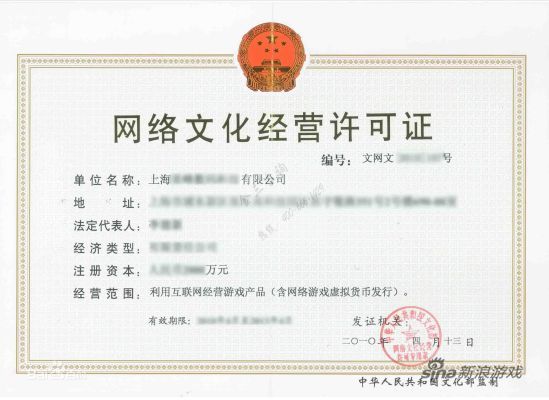
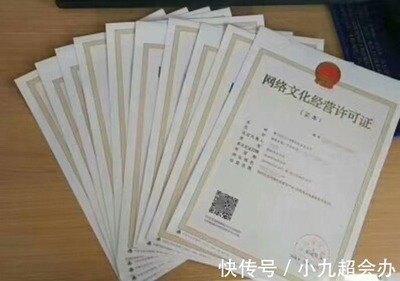
文網(wǎng)文全稱為《網(wǎng)絡文化經(jīng)營許可證》,是由文化和旅游部門(原文化部)頒發(fā)的行政許可,專門針對從事網(wǎng)絡文化經(jīng)營活動的企業(yè)。網(wǎng)絡文化經(jīng)營主要包括網(wǎng)絡音樂、網(wǎng)絡演出、網(wǎng)絡藝術品、網(wǎng)絡動漫等文化產(chǎn)品的制作、復制、發(fā)行、播放等服務。
ICP備案則是指互聯(lián)網(wǎng)信息服務備案,根據(jù)《互聯(lián)網(wǎng)信息服務管理辦法》,所有在中國境內提供非經(jīng)營性互聯(lián)網(wǎng)信息服務的網(wǎng)站必須進行備案,而提供經(jīng)營性互聯(lián)網(wǎng)信息服務的還需申請ICP許可證(增值電信業(yè)務經(jīng)營許可證)。ICP備案主要涉及網(wǎng)站內容的合法性和主體身份確認,由工信部門及各地通信管理局管理。
二、主要區(qū)別
- 監(jiān)管機構不同:文網(wǎng)文由文化和旅游部門審批;ICP備案由工信部門及通信管理局負責。
- 適用范圍不同:文網(wǎng)文針對網(wǎng)絡文化經(jīng)營活動,如游戲、音樂、直播等;ICP備案適用于所有網(wǎng)站,無論是經(jīng)營性還是非經(jīng)營性。
- 性質差異:文網(wǎng)文是行政許可,企業(yè)需滿足特定條件才能獲得;ICP備案更多是備案制,非經(jīng)營性網(wǎng)站只需登記,經(jīng)營性網(wǎng)站則需申請ICP許可證。
- 申請條件不同:文網(wǎng)文要求企業(yè)具備相應的文化內容審核能力、專業(yè)人員等;ICP備案則側重網(wǎng)站技術安全和主體資質。
- 法律依據(jù)不同:文網(wǎng)文依據(jù)《互聯(lián)網(wǎng)文化管理暫行規(guī)定》;ICP備案依據(jù)《互聯(lián)網(wǎng)信息服務管理辦法》。
三、聯(lián)系與協(xié)同
盡管存在差異,文網(wǎng)文和ICP備案在實際網(wǎng)絡文化經(jīng)營中密切相關:
- 互補性:許多網(wǎng)絡文化經(jīng)營企業(yè)(如游戲平臺、直播網(wǎng)站)既需要文網(wǎng)文許可,也需要ICP備案或ICP許可證,兩者缺一不可,共同確保業(yè)務合法合規(guī)。
- 流程關聯(lián):通常企業(yè)先完成ICP備案,再申請文網(wǎng)文,因為網(wǎng)站備案是基礎步驟。
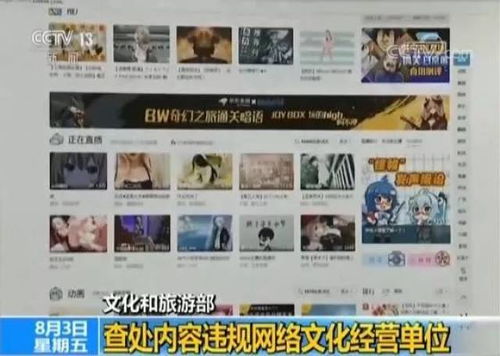
- 監(jiān)管協(xié)同:文化和旅游部門與工信部門在監(jiān)管中會協(xié)作,例如對違規(guī)網(wǎng)絡文化內容,可能聯(lián)合執(zhí)法。
- 企業(yè)合規(guī)要求:從事網(wǎng)絡文化經(jīng)營的企業(yè)必須同時關注兩者,避免因缺失任一許可而面臨處罰。
四、實際應用建議
若涉及網(wǎng)絡文化經(jīng)營活動,應先明確業(yè)務類型:
- 如果僅提供信息發(fā)布等非經(jīng)營性服務,完成ICP備案即可。
- 如果涉及網(wǎng)絡音樂、游戲、直播等文化內容,則必須申請文網(wǎng)文,并根據(jù)是否盈利決定是否需要ICP許可證。
建議企業(yè)在設立初期咨詢專業(yè)機構,確保全面合規(guī),以降低運營風險。
文網(wǎng)文和ICP備案是網(wǎng)絡文化經(jīng)營中兩個關鍵環(huán)節(jié),理解其區(qū)別與聯(lián)系有助于企業(yè)高效完成資質申請,保障業(yè)務健康發(fā)展。
如若轉載,請注明出處:http://www.nuoweier.com.cn/product/67.html
更新時間:2026-06-19 11:25:01